
The AI GIF Generator.
Make anything move.
Drop in an image, describe the idea, and get a playful GIF to spice up any conversation.
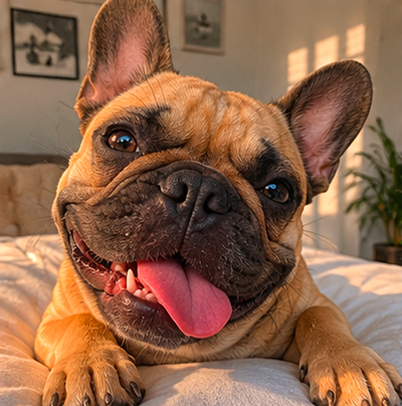








Make GIFs for every conversation.
One image in, a looping GIF out. Small enough to send, sharp enough to ship. People use GifGen for:




Reaction GIFs in chats
Make your own animated reactions to drop into WhatsApp, iMessage, Slack, Discord. The joke lands harder when it moves.


Animated stickers for socials
Stickers that move for Instagram stories, TikTok overlays, Telegram packs. Personal, on-brand, never a stock loop.


Animated profile pictures
Turn a portrait or character into a looping avatar for your Google account, Discord, Slack, Telegram, and anywhere else profile pictures can move.
Slides that pop
Drop animated GIFs into Keynote, Google Slides or Notion. Decks read warmer when a hero image actually moves.
How it works
Start from one photo — make it move, or fan it out into a whole styled set. Everything comes back cut out, ready to send as stickers.

Tap a sticker pack
instant motion


Or describe any idea
the wilder the better


Or create full sticker packs
One idea, nine versions — a whole pack from a single photo.


Made with GifGen
Make anything move. As fast as you think about it.
 GifGen
On your phone, into WhatsApp
Make packs on the go and add them straight to WhatsApp — animated or still.

Out now on Android.
€9.99 / month · 1,000 credits
Up to 1,600 stickers — or 100 animated.
Start free with 30 credits. Cancel anytime.
Frequently asked
How does GifGen work?
Upload one image, describe what should move, and GifGen creates a smooth looping GIF for you. We don't train our own model. We sit on top of the best image models (Google's Gemini, optionally OpenAI's) and build the fastest workflow around them.
Is this a GIF converter or GIF search?
Neither. Converters turn a video you already have into a GIF, and GIF search pulls from a stock library. GifGen generates brand-new frames from your image and prompt with AI, then loops them into an original GIF. It is created, not found or re-encoded.
What kinds of images work best?
A single clear subject on a clean background works best: portraits, characters, illustrations, product shots, mascots. Busy scenes with many people or heavy text can come out inconsistent. Logos and icons work too, paired with a motion style like Pulse or Rotate.
How do I steer the animation?
Two ways: write a prompt describing the motion ("the cat tilts its head and blinks"), or pick a motion style like Rotate, Bounce, Glitch, or Zoom. Mix both for the most control.
What's the difference between Standard and Smoother?
Standard packs more resolution into fewer frames, so you get a crisper, more stop-motion look in a shorter loop. Smoother spreads the motion across more frames for a more fluid, flowing animation. Both produce a finished GIF, so it comes down to the look you want: sharp and punchy, or smooth and flowing.
Can I edit the result?
Yes, every GIF is fully editable. Reorder frames, hide ones that look off, change the speed, tweak the crop, and toggle loop or boomerang. Your edits apply to the exported GIF.
Can I use the GIFs as stickers on WhatsApp, TikTok, Instagram?
Yes. Exported GIFs are optimised for messaging and social. WhatsApp takes them as animated stickers, and TikTok and Instagram take them as overlays or post media.
Can I use the GIFs commercially?
Yes, every GIF made on a paid plan comes with an unlimited commercial-use licence. Note that AI-generated content may not qualify for copyright in some places, so we grant a licence rather than transferring copyright. See the Terms for details.
How many GIFs can I make?
Free trial accounts start with 30 credits. The Creator plan gives you 1,000 credits a month, plenty for dozens of animations. Smoother animations cost a bit more than Standard ones, and failed generations refund automatically.
Learn more
Still have questions? Contact us